
Set a Commitment
A Commitment is the number of Posts that you promise for one Account each Client Month. See Commitments.
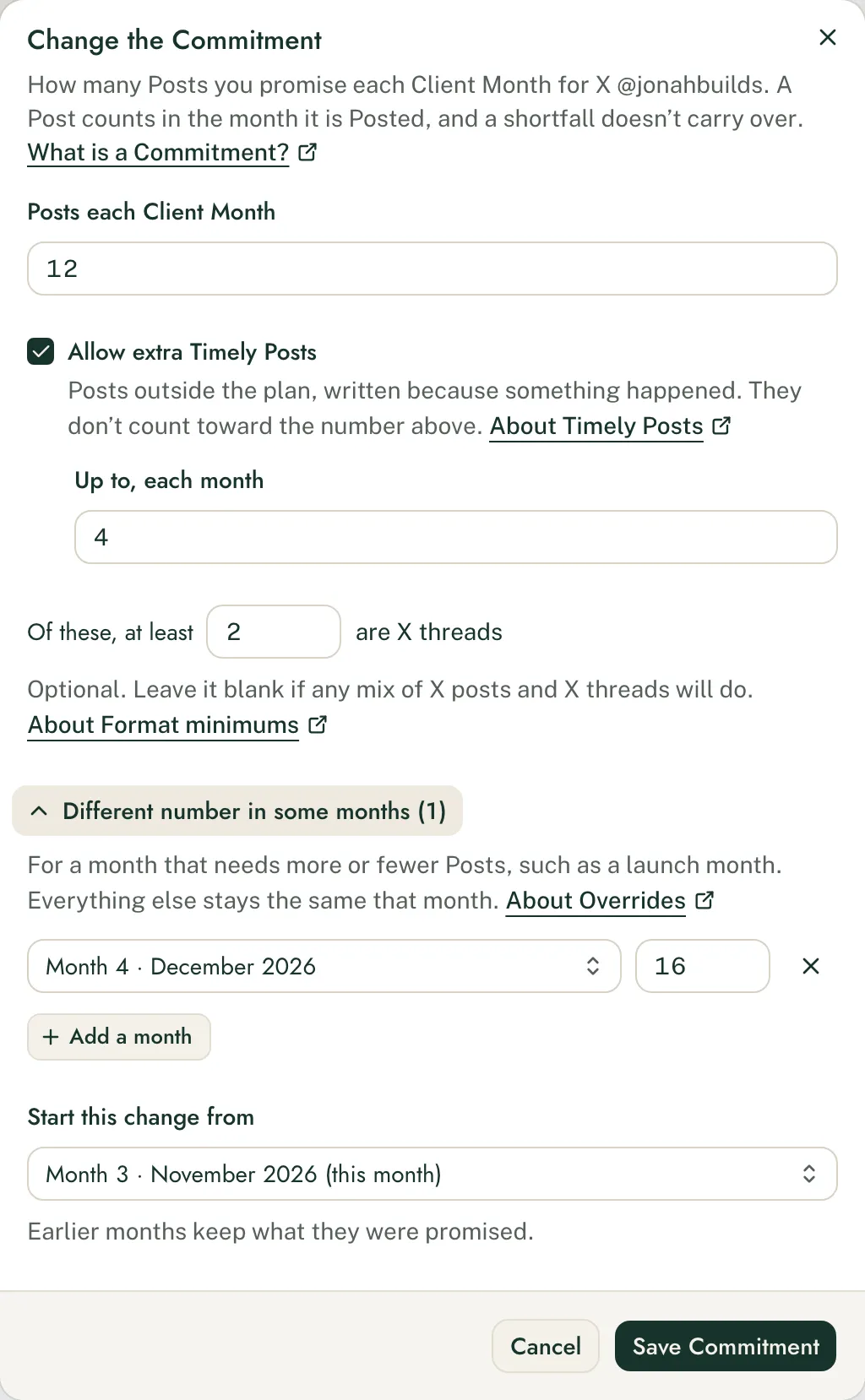
Set the first Commitment
Section titled “Set the first Commitment”- Open the Client, and select the Setup tab.
- Under the Account, select Set one.
- In Posts each Client Month, enter the number of Posts that you promise.
- If the Client wants Timely Posts on top of that number, tick the Timely Posts box. Then, in Up to, each month, enter how many.
- On an X Account, if some Posts must be X threads, enter the fewest in Of these, at least. Leave it blank if any number of X threads will do.
- If one month needs a different number, select Different number in some months, then select Add a month.
- Choose the Client Month, and enter its number of Posts.
- Select Save Commitment.
A first Commitment starts this Client Month.
Change a Commitment
Section titled “Change a Commitment”- Select the three dots beside the Account, and select Change Commitment.
- Change the numbers.
- In Start this change from, choose the first Client Month that the change applies to. The months before it keep what they promised.
- Select Save Commitment.
To remove a different number for one month, select the × beside it, and select Save Commitment.